
From Application to Interview: A Step-by-Step Guide to Getting the Most Out of MultApply
Turn hours of job searching into minutes with our comprehensive workflow guide.
Job hunting can feel like a full-time job in itself. Between rewriting resumes, filling out repetitive applications, and tracking where you’ve applied, it’s easy to burn hours without feeling any closer to landing a role. That’s exactly why we built Multapply — an all-in-one job search system designed to save you time, reduce stress, and increase your chances of success.
To show you how to get the best out of MultApply, let’s follow along with Mandy, an instructional designer who’s looking for her next remote role in the EdTech space.
Step 1: Perfecting the Resume with the ATS Checker
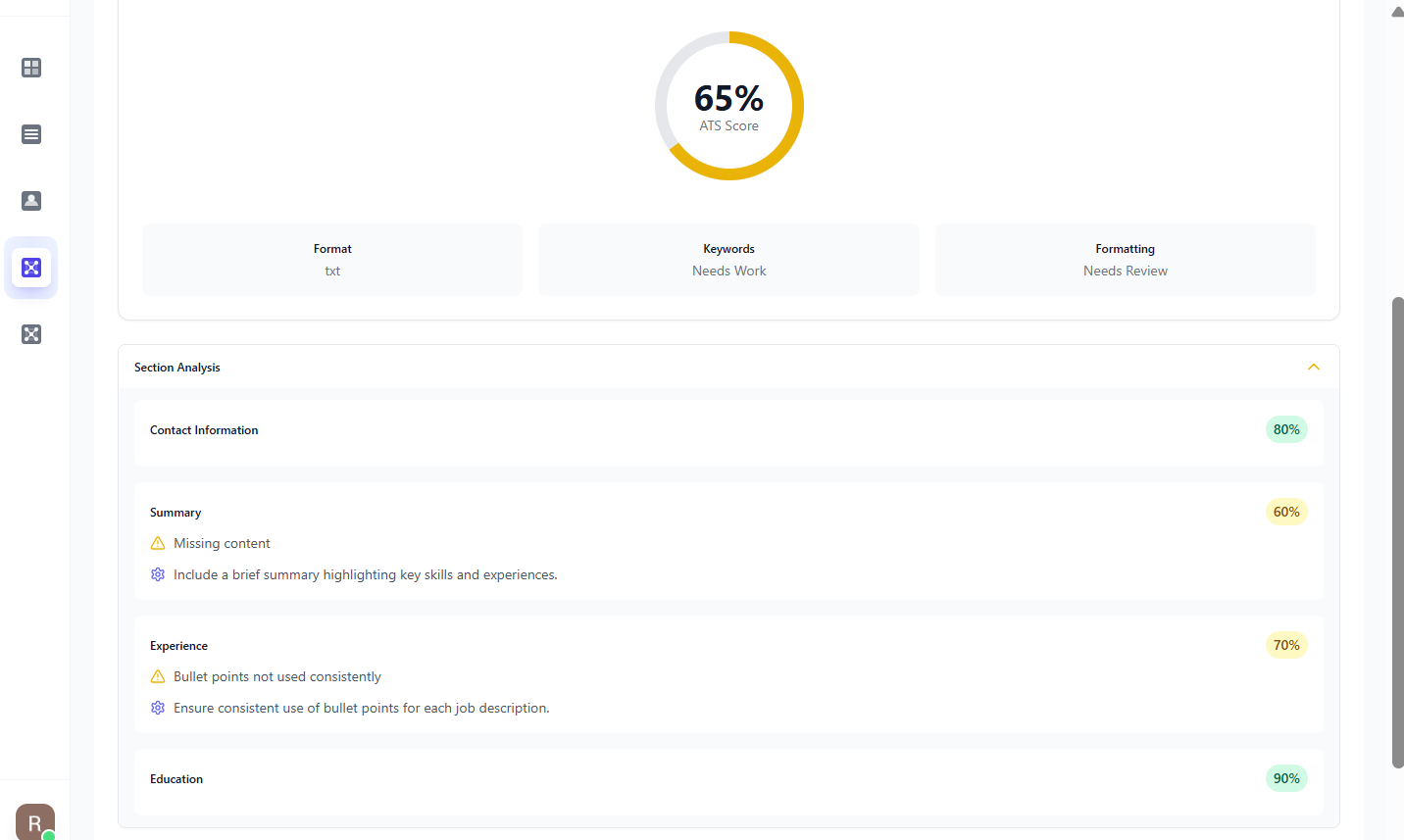
Before Mandy starts applying, she wants to make sure her resume will actually make it past applicant tracking systems (ATS) — the software most companies use to scan applications before a human ever sees them. Research shows that up to 75% of resumes are rejected by ATS systems before reaching a recruiter’s desk.
She uploads her resume into Multapply’s ATS Score tool. The system scans for formatting issues, keyword gaps, and sections that might prevent her application from being noticed. Mandy gets personalized tips and quickly adjusts her resume so it’s ready to pass through those filters.
Step 2: Saving Hours with Auto-Apply
Now that her resume is optimized, Mandy heads to her favorite job boards — LinkedIn, Indeed, and ZipRecruiter. Using Multapply’s Auto-Apply feature, she sets each platform to apply to 10 jobs.
In just 35 minutes, Multapply submits 30+ applications for Mandy. To put that in perspective, the average job application takes 15–20 minutes manually — meaning she would have spent 7–10 hours doing the same work herself.
Step 3: Tracking Progress Automatically
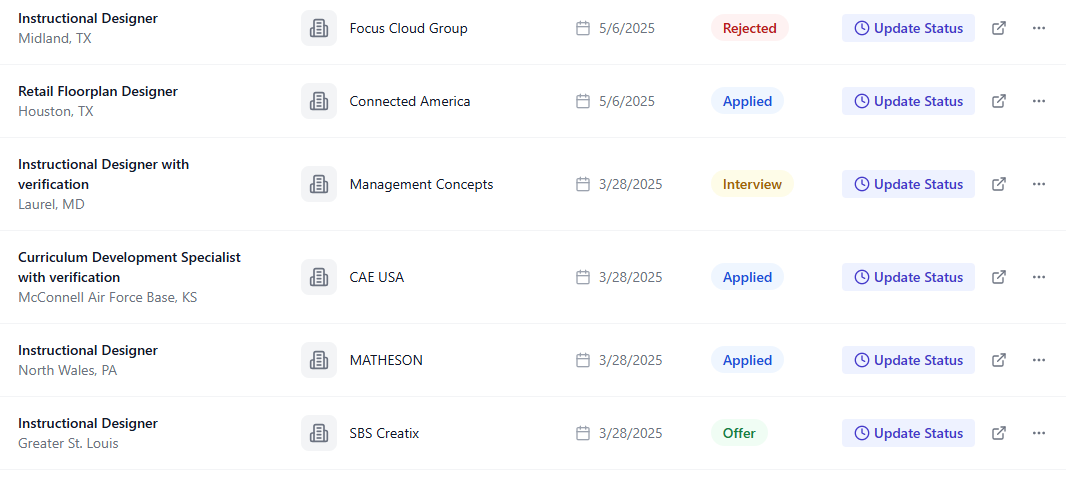
Once the Auto-Apply run finishes, all the jobs Mandy applied to appear in her Application Tracker Dashboard. Each listing includes the company name, role, and date applied.
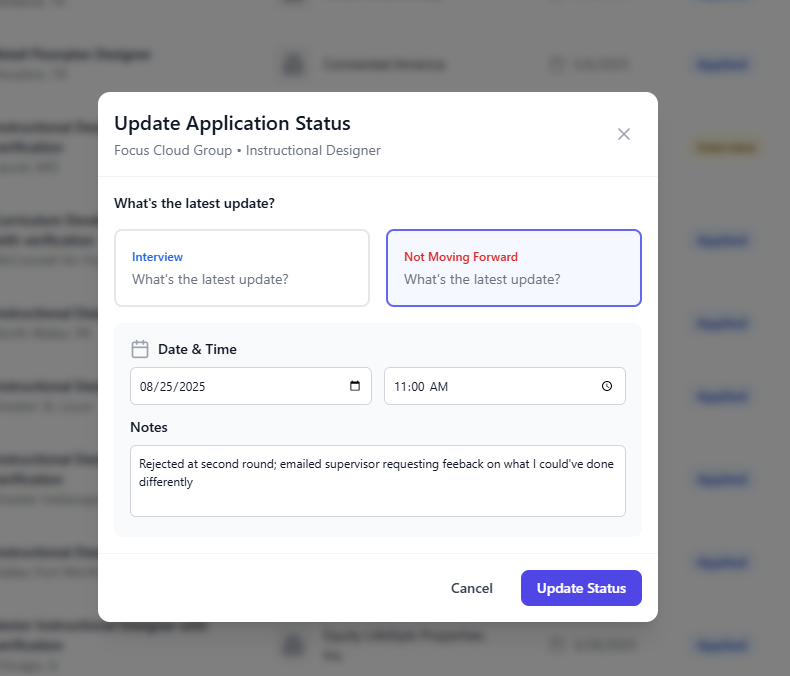
From here, Mandy can update statuses as her applications progress:
- Rejected
- Interview Scheduled
- Second Interview
- Offer
She also adds notes, like interview times or feedback she receives. This keeps everything organized in one place instead of juggling sticky notes, spreadsheets, or scattered emails.
Step 4: Expanding Beyond Job Boards with Ask Melissa
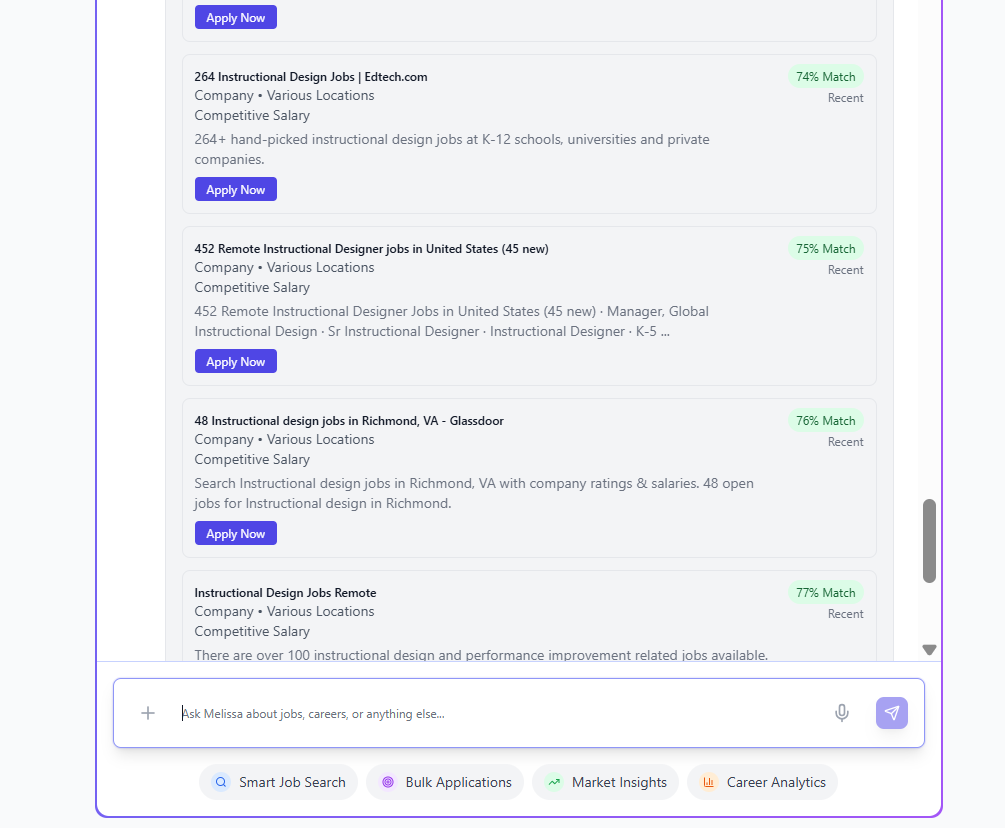
While LinkedIn and Indeed are great, Mandy knows that not every company posts on these popular boards. That’s where Multapply’s Ask Melissa smart assistant comes in.
She asks Melissa: “Find remote instructional design jobs in EdTech with a salary of $70K+.”
Melissa scans the wider web — beyond the big boards — and returns several relevant opportunities. Mandy selects five jobs that really stand out and decides to apply manually.
Step 5: Generating Tailored Cover Letters
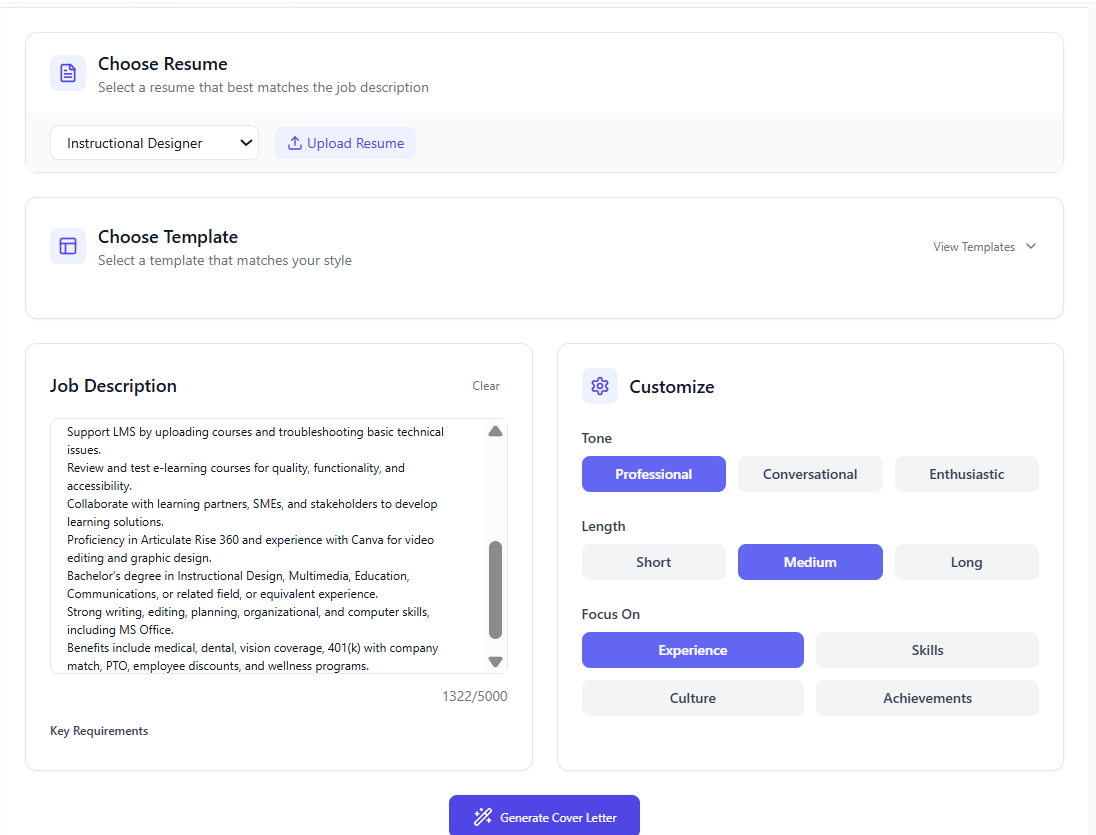
For the five roles Melissa found, Mandy uses Multapply’s Cover Letter Generator. She pastes each job description into the tool, and in seconds, it produces a tailored cover letter that highlights her skills and aligns with the employer’s needs.
No more staring at a blank page or recycling the same generic letter — Mandy’s letters are professional, personalized, and ATS-friendly.
Comparing the Time Saved
Here’s how Mandy’s job hunt session breaks down:
Time Breakdown: Multapply vs Manual
40 min: Manual applications & cover letters
More than a full day’s work!
That’s more than a full day’s work condensed into just over an hour.
Step 7: Staying on Top with the Dashboard
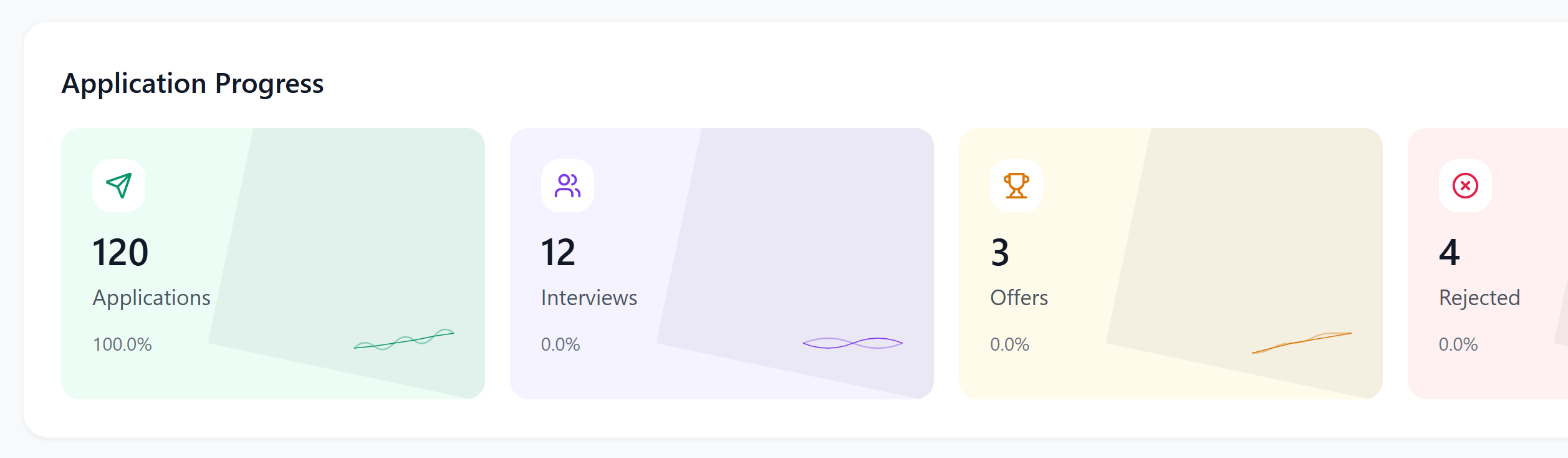
Over the following weeks, Mandy keeps returning to her Multapply Dashboard. Each time she hears back from an employer, she updates the status. The tracker shows her rejection rate, interview rate, and even her success rate — turning the job search into a measurable, data-driven process.
When she lands interviews, Mandy also turns to Ask Melissa for preparation. She pastes the job description into the chat and asks for practice interview questions tailored to that role. Melissa generates a mix of common behavioral questions and role-specific prompts, giving Mandy the chance to rehearse her answers and go into her interviews with confidence.
Instead of feeling lost in a sea of applications, Mandy now has a clear picture of where she stands — and extra support when it matters most.
Why Multapply Works
For Mandy, Multapply isn’t just another job tool. It’s her personal job search assistant, giving her back hours of her life while keeping everything organized in one place.
With features like the ATS Checker, Auto-Apply, Ask Melissa, Cover Letter Generator, and Application Tracker, she’s able to apply smarter, faster, and more strategically.
And the best part? All of this costs less than a single coffee shop latte each month — just $4.99.
Ready to Transform Your Job Search?
Join thousands of job seekers who are already using Multapply to land their dream roles faster and with less stress.
Add to Chrome – It’s Free